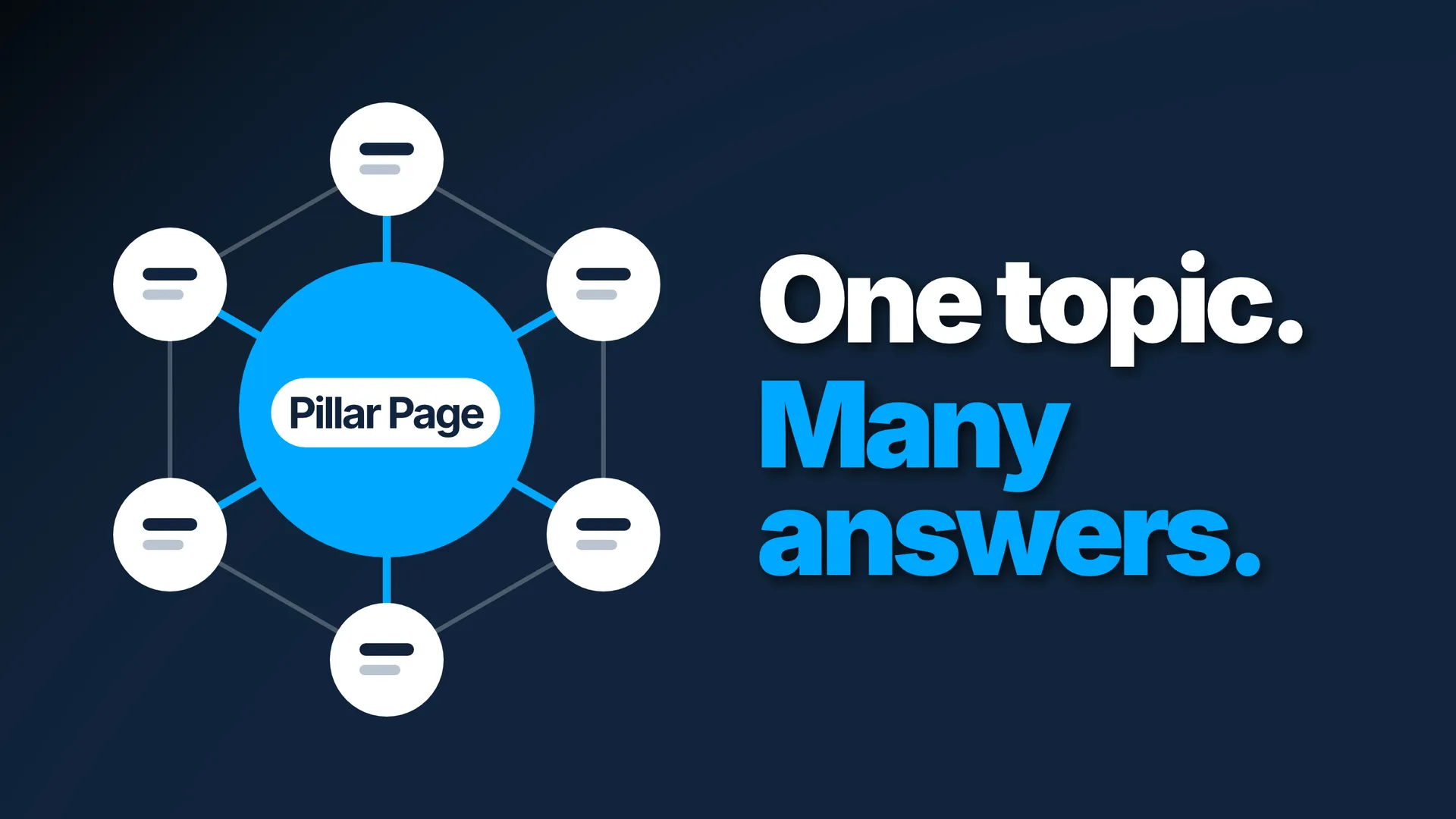

A topic cluster is a group of content pieces around one shared subject: a comprehensive main page (the pillar page) provides the overview, several individual articles go deeper into specific subtopics, and all pages are deliberately linked to each other. This lets search engines, AI search and readers see at a glance what you are experts in.
Sound familiar? You publish blog posts regularly, put a lot of time into research and writing, and still not much happens in the rankings for months. A few posts perform well, while many others disappear after a couple of weeks.
Most of the time, the quality of the writing is not the problem. What is missing is the structure behind it. That is exactly what topic clusters bring to your content, and HubSpot helps you keep track of it all.
What is a topic cluster?
A topic cluster consists of three building blocks that work together. If one of them is missing, the whole cluster loses impact.
The pillar page
The pillar page is the heart of the cluster. It covers a broad subject in depth, for example “CRM with HubSpot” or “B2B email marketing”. It answers the most important basic questions, gives a structured overview and guides readers on to the detailed topics. A good pillar page is more extensive than a regular blog post but stays easy to navigate, for example with a table of contents and clear subheadings.
The cluster content
Around the pillar page, you create several individual articles that each explore one subtopic. They answer specific questions your audience is asking: How does lead scoring work? How do you hand leads over to sales smoothly? How do I keep my CRM data clean? Each of these articles has a clear focus and can go into real depth.
Internal linking as the connection
Links are what turn separate pages into a cluster. The pillar page links to every subtopic, and every subtopic links back to the pillar page. Where it makes sense, the subtopics also link to each other. This creates a network that readers and search engines can both navigate easily.
Why standalone articles often fall flat
Many companies blog based on “What are we working on right now?”. That keeps things varied, but it has side effects:
- Articles compete with each other: When several posts target very similar search terms, Google does not know which page is the right one. In the worst case, they all rank only moderately. In SEO, this is called keyword cannibalisation.
- Your expertise stays hidden: Ten loose articles on ten topics look less competent than ten articles that cover one topic from every angle.
- Readers find no next step: Someone who finishes an article leaves the site if no relevant follow-up content is offered.
- Good content goes out of date unnoticed: Without structure, you quickly lose track of which posts exist and which ones need updating.
Why topic clusters matter right now
Search engines stopped looking only at individual keywords a long time ago. They try to understand which website truly knows a subject. If you cover a topic completely and link it well, you build what is called topical authority.
AI search makes this even more important. Google AI Overviews, ChatGPT and Perplexity answer questions by researching several related sub-questions in the background and combining the answers. If your website answers exactly those sub-questions in separate, well-connected articles, your content is more likely to be used as a source. Topic clusters therefore pay off twice: in your Google rankings and in your visibility in AI answers (GEO, generative engine optimisation).
A practical example: a cluster around “CRM with HubSpot”
Here is what this looks like in practice, using our own blog. Over the past few weeks, we have published several posts on HubSpot and CRM:
- Lead scoring in HubSpot
- Lead handoff between marketing and sales
- Data quality in your CRM
- Campaign planning with HubSpot
Each post works on its own. As a cluster, though, they become much stronger: a pillar page called “CRM with HubSpot: The Guide for Marketing and Sales” would provide the overview, briefly introduce each subtopic and then point to the matching article. The four posts link back to the guide and, where it fits, to each other. The lead scoring article, for example, links to the lead handoff post because one builds directly on the other, and the data quality post explains why lead scoring does not work without clean data.
For readers, this creates a clear thread through the topic. For Google and AI search, it is obvious: this website knows HubSpot and CRM.
5 steps to your first topic cluster
A topic cluster does not have to be finished overnight. What matters more is starting with a clear plan and implementing it step by step.
1. Define your core topics
Start with two to four core topics that fit your offering directly and that you want to be found for. Helpful questions: What do we want customers to know us for? What problems do we solve? What is our audience searching for? A core topic should be broad enough for several subtopics but not so broad that it becomes generic. “Marketing” is too big, “marketing automation with HubSpot” works well.
2. Review and assign your existing content
Most blogs already contain a lot of material. List your existing articles and assign them to your core topics. You will often notice that some topics already have plenty of posts while others have almost none. Duplicate or very similar articles can be merged, outdated posts can be updated.
3. Build the pillar page
The pillar page gives a complete overview of the core topic. This structure has proven effective:
- A short definition and context right at the start
- A table of contents with jump links
- One section per subtopic with the key information and a link to the detailed article
- An FAQ section with common questions
- A clear next step, for example a contact offer or a download
Important: the pillar page should make readers want more, not give away every subtopic article in full.
4. Plan and write the subtopics
Collect the questions your audience asks about the core topic. Good sources are customer conversations, questions from sales, support requests and keyword tools. Every question that deserves a detailed answer is a candidate for its own article. Five to eight subtopics are enough for a solid cluster to begin with. You can add more over time.
5. Link consistently
The most important step is also the one most often forgotten. Keep three things in mind when linking:
- Both directions: pillar page to subtopic, and subtopic back to the pillar page.
- Descriptive anchor text: link with words that describe the target, such as “lead scoring in HubSpot” instead of “click here”.
- Links within the body text: links placed in the middle of the text, where they fit the content, work better than a list of links at the end of the page.
Implementing topic clusters in HubSpot
If you run your website or blog in HubSpot, the SEO tool gives you practical support for planning clusters. In the “Topics” section, you create a core topic, assign a pillar page to it and add the matching subtopics. You can use pages and blog posts from HubSpot as well as pages hosted outside HubSpot.
HubSpot then shows you clearly which content belongs to a topic and whether the pillar page and subtopics are properly linked. You can spot missing links at a glance. The tool is available from Marketing Hub Professional.
An honest note: creating a topic in HubSpot does not improve your rankings automatically. The tool provides overview and order. The impact comes from the content itself and the linking on your website. That is exactly where the overview in HubSpot is worth its weight in gold, especially when several people on your team create content.
How to tell your cluster is working
Topic clusters do not work overnight. Expect a few weeks to months before the effects become clearly visible. These metrics help you assess progress:
- Visibility for the whole topic: Are more pages from the cluster ranking for relevant search terms, and are they moving up?
- Traffic to the pillar page: Over time, the pillar page should become one of the most visited pages for the topic.
- Clicks on internal links: Do readers move from the pillar page to the subtopics and back? That shows the linking is being used.
- Time on page and pages per session: If both go up, your audience is following the thread.
- Leads and conversions: In the end, what counts is whether the cluster generates enquiries, downloads or newsletter sign-ups. In HubSpot, you can track this via sources and page reports.
Common mistakes with topic clusters
- The topic is too broad or too narrow: “Digitalisation” can hardly be covered in one cluster, while “required fields in HubSpot forms” cannot carry a cluster of its own. Aim for the middle.
- The pillar page is too thin: A short overview with five links is not a pillar page. It needs value of its own.
- Links back are missing: The pillar page links to every subtopic, but the subtopics do not link back. That wastes a large part of the effect.
- Several articles target the same search term: Every cluster article needs its own focus. Merge overlapping content instead.
- The cluster is never maintained: New articles are added, but nobody links them to the pillar page. Schedule regular time to update your clusters.
FAQ: Common questions about topic clusters
There is no fixed number. Five to eight well-developed subtopics are enough to start with. More important than quantity is that the articles answer your audience's real questions and are properly linked.
As long as the topic requires. In practice, good pillar pages are usually much more extensive than regular blog posts. Far more important than word count, though, is a clear structure so readers can quickly find what they are looking for.
Yes, absolutely. Most clusters are built from existing content. Assign your articles to a topic, update them where needed and add the links to the pillar page. You can write the missing subtopics step by step.
The topics tool in HubSpot's SEO section is available from Marketing Hub Professional (as of November 2026). Topic clusters as a strategy work with any CMS, though. HubSpot mainly makes planning and checking your links easier.
That depends on where you are starting from. First effects often appear after a few weeks, while stable visibility for the whole topic usually builds up over several months. Sticking with it pays off, because every new subtopic strengthens the entire cluster.
More visibility through structure, not chance
Topic clusters change the way you think about content. Instead of wondering every week what to write about next, you deliberately build knowledge around the topics that really matter for your business. That makes your blog easier to navigate for readers, easier to understand for search engines and more interesting for AI search. And every new article contributes to the bigger picture.
Do you have questions or need help with the setup? Schaller Digital helps you find the right core topics, build your content strategy in clusters and implement everything properly in HubSpot. Get in touch with us!